Math practice for learners ages 6+. Inspect mistakes, build solutions, and put mathematics to work. The planned first release spans place value to introductory algebra.
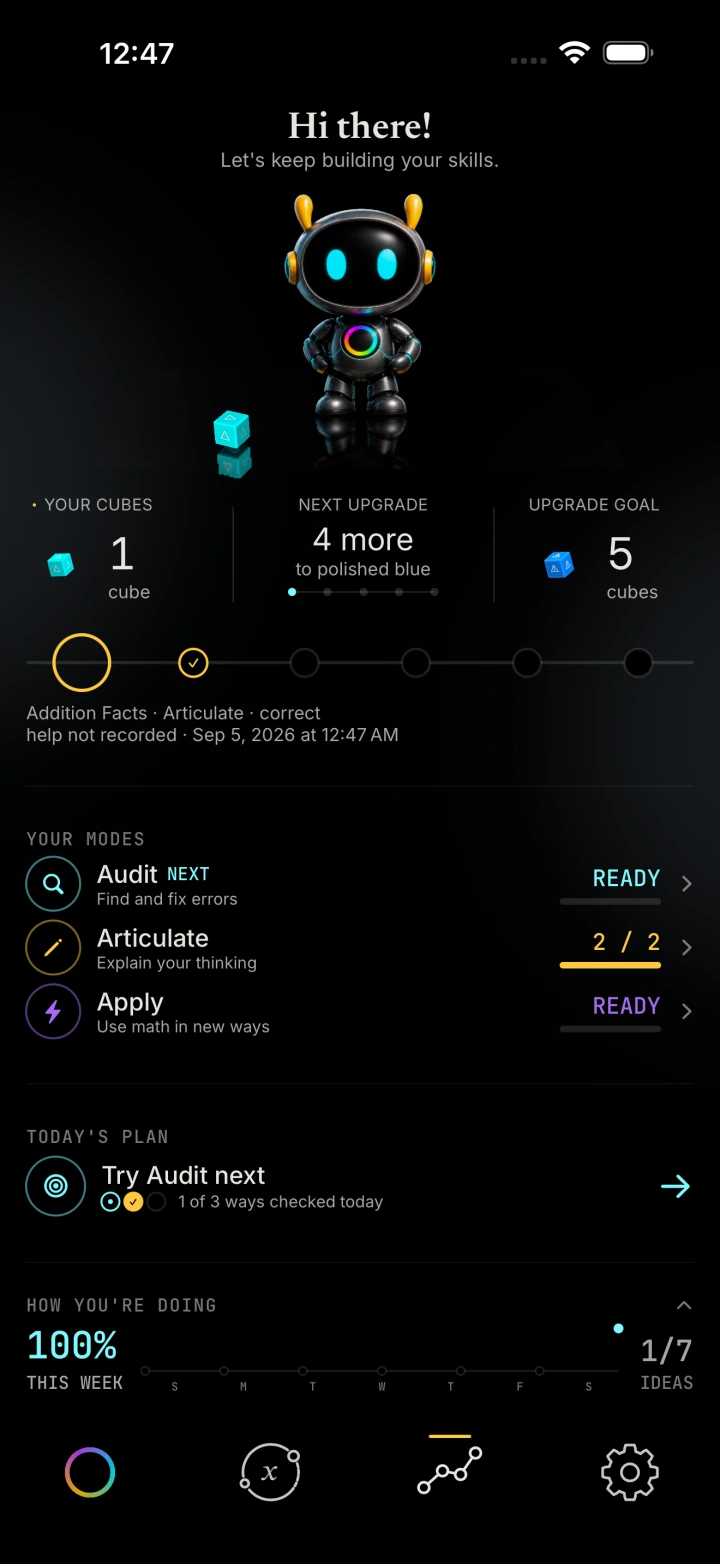
Student dashboard Native app · example learning history
Individual practice · alongside teaching
Give the learner something to work through.
For practice at home or alongside lessons with a teacher or tutor. A learner can examine a worked step, construct mathematics, and revise a decision. LogNormal is a focused practice tool; it does not claim to replace teaching or a complete curriculum.
Current launch plan · 25 core topics
The planned starting curriculum, in full.
The 25 topics currently planned for launch are shown below. The App Store listing will confirm the final launch curriculum.
The current launch plan includes 25 core mathematical topics, spanning place value and whole-number arithmetic through fractions, rational numbers, introductory equations, inequalities, and bounds.
The App Store listing will be the source of truth for included topics, learner and family features, language availability, device support, price, and purchase terms.
25 core topics planned
Final family features will appear in the App Store
Final collaboration features will appear in the App Store
Final language availability will appear in the App Store
Three modes · different responsibilities
Three ways for understanding to become visible.
The mathematics is checked by deterministic rules, not generative AI. Each exercise defines the mathematical work and transformations it supports.
These native recordings show the learning approach. Definite integrals and binomial squares are in development, beyond the planned first-release curriculum listed above.
01 / Audit
Don’t just spot the mistake. Repair the reasoning.
Inspect the mathematics already on the screen. Find the step that fails and change it. Here, repairing an integral re-scaffolds the work that follows.
Understanding includes knowing why something is wrong.
Definite integrals In development · native capture
02 / Articulate
The next step is yours to make.
Construct the mathematical work yourself. Supported exercises recognize different valid transformations, so the reasoning does not have to follow a single prescribed route.
Understanding includes being able to author what is true.
Binomial squares · in development Native capture · scripted review inputs
03 / Apply
Now the mathematics changes what happens.
Use an idea to make a decision inside a different situation. In Vector Rail, a position on the number line becomes a laser’s target—not an answer left in a box.
Understanding includes knowing when and how to use it.
Vector Rail / Apply Native app capture
Inside the mathematical work
What does a learner actually do?
Two examples from native app test recordings: repairing an equal-groups model and authoring a written addition. Each asks for a mathematical decision, with a result the learner can inspect.
Equal groups · Audit
Four groups of five. One group disagrees.
The model is meant to represent four groups of five, or 20 objects. One group contains only four. A correct-looking equation is not enough: the learner has to inspect what the groups show.
Find the group that does not match the others.
Open that group and change its quantity from four to five.
Commit the repair. The model now shows four equal groups, ready to check.
The useful work is locating and repairing the mismatch between the representation and the multiplication.
Multi-digit addition · Articulate
260 + 476 needs more than a total.
The learner authors the written sum, including the carry. Six tens and seven tens make 13 tens: three tens stay in that column, and one hundred carries into the next.
Enter the total, 736.
Author and confirm the carry of one hundred.
Check the work. In the recorded example, both the carries and total are accepted.
This makes the regrouping part of the learner’s written work, rather than leaving it hidden behind an answer box.
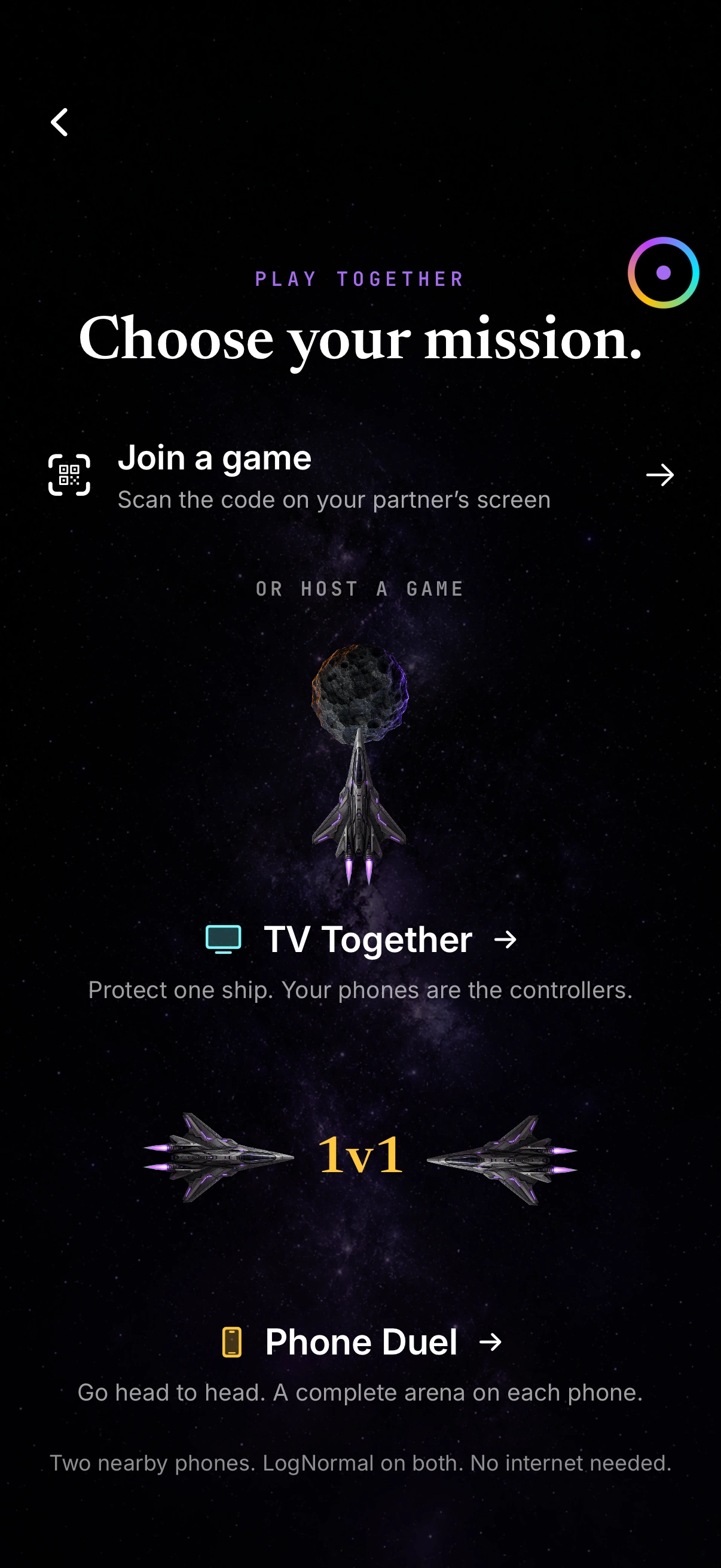
An extra way to play Apply. Scan to pair nearby phones. One phone hosts the game. No public lobby. No guest account required.
TV Together. One ship. Two pilots.
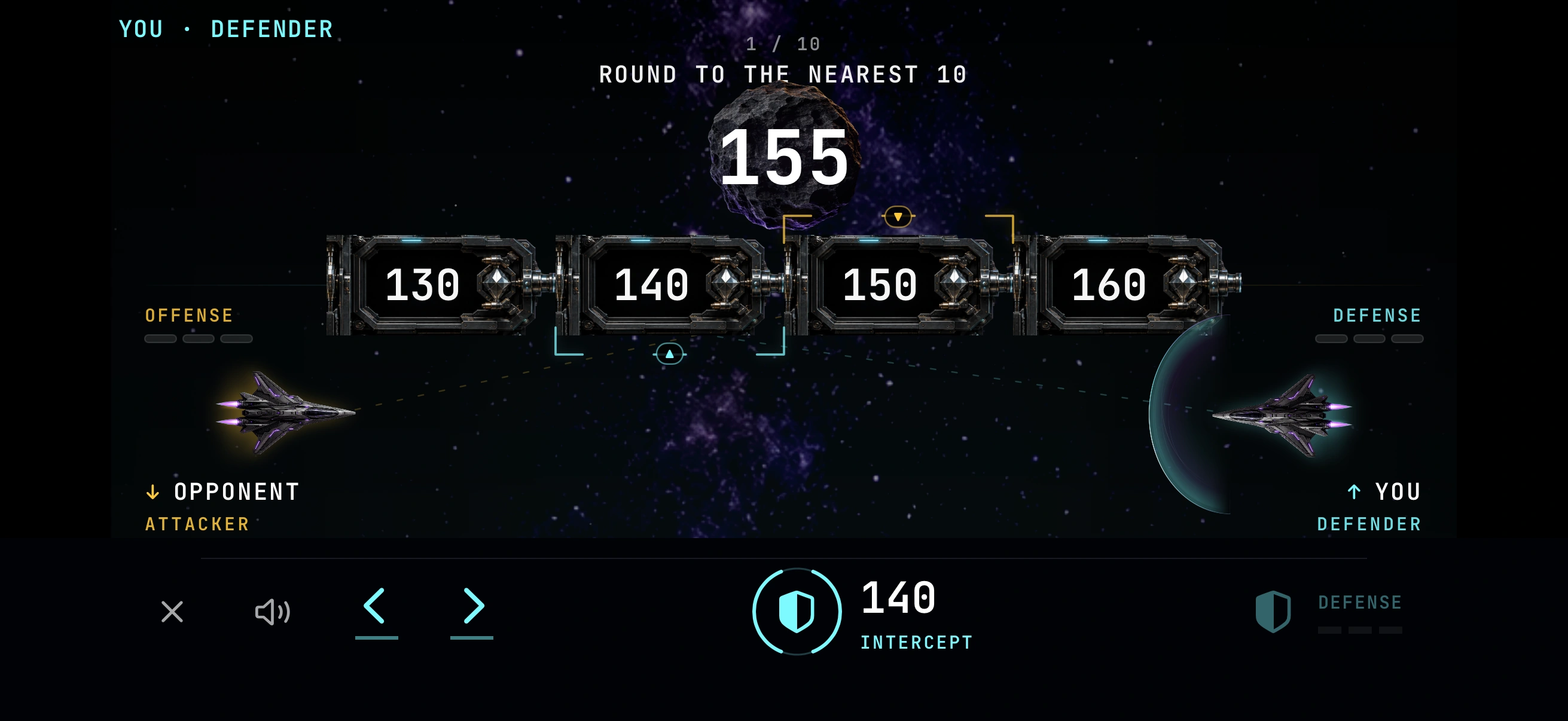
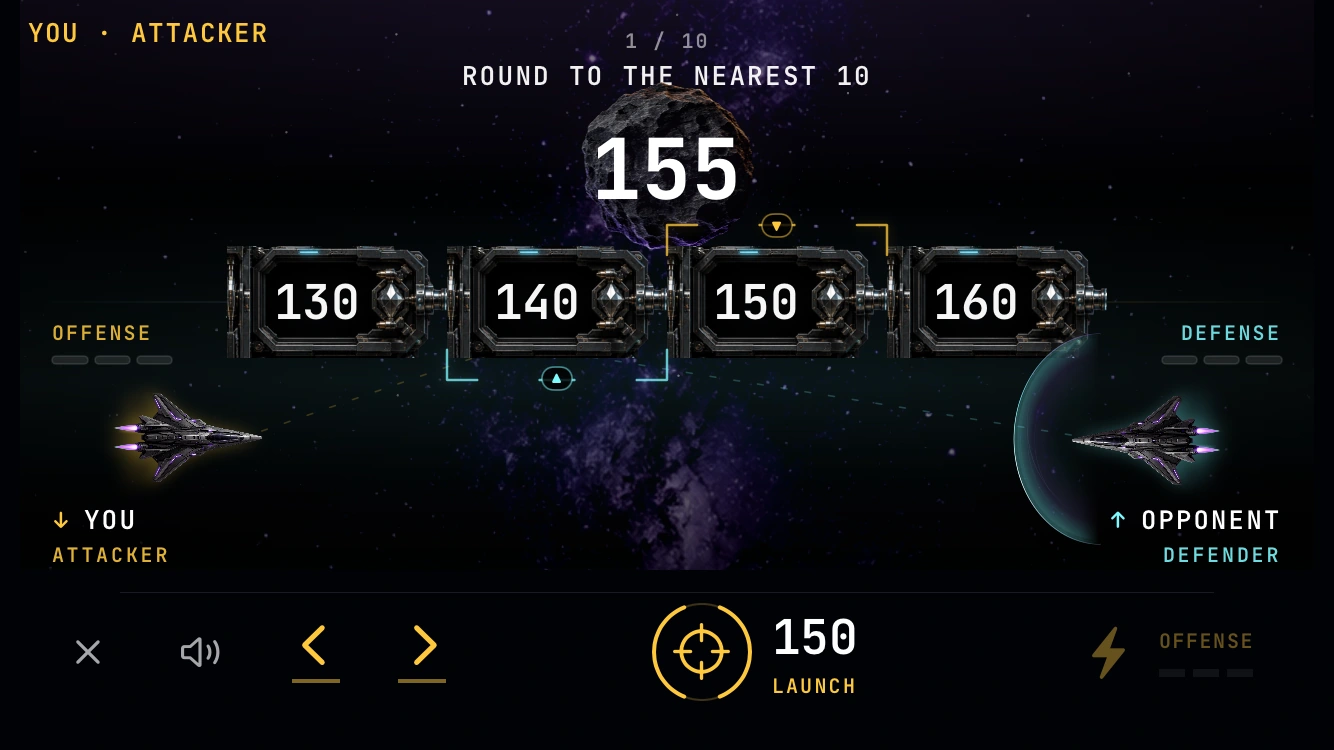
Each phone controls a gun and shield on the shared TV. A correct rounding shot slows the other pilot’s approaching meteor.
TV / Scan to pair · example invitation
Phone / Choose how to play
Phone Duel. Opposite sides.
One attacks. One defends. Both phones show the same live arena, but each player has their own controls and role. No TV needed.
Player one / Defender
Player two / Attacker
Native simulator captures · October 15, 2026. Example QR invitation; both Phone Duel views show one real paired rematch. LogNormal is needed on both nearby phones; pairing and play use a private local connection. Play Together is in development and is not part of the first public release.
App Store launch date to be confirmed
Start with your child’s thinking.
Planned first release: examine and build solutions across 25 core topics, from place value to introductory algebra.